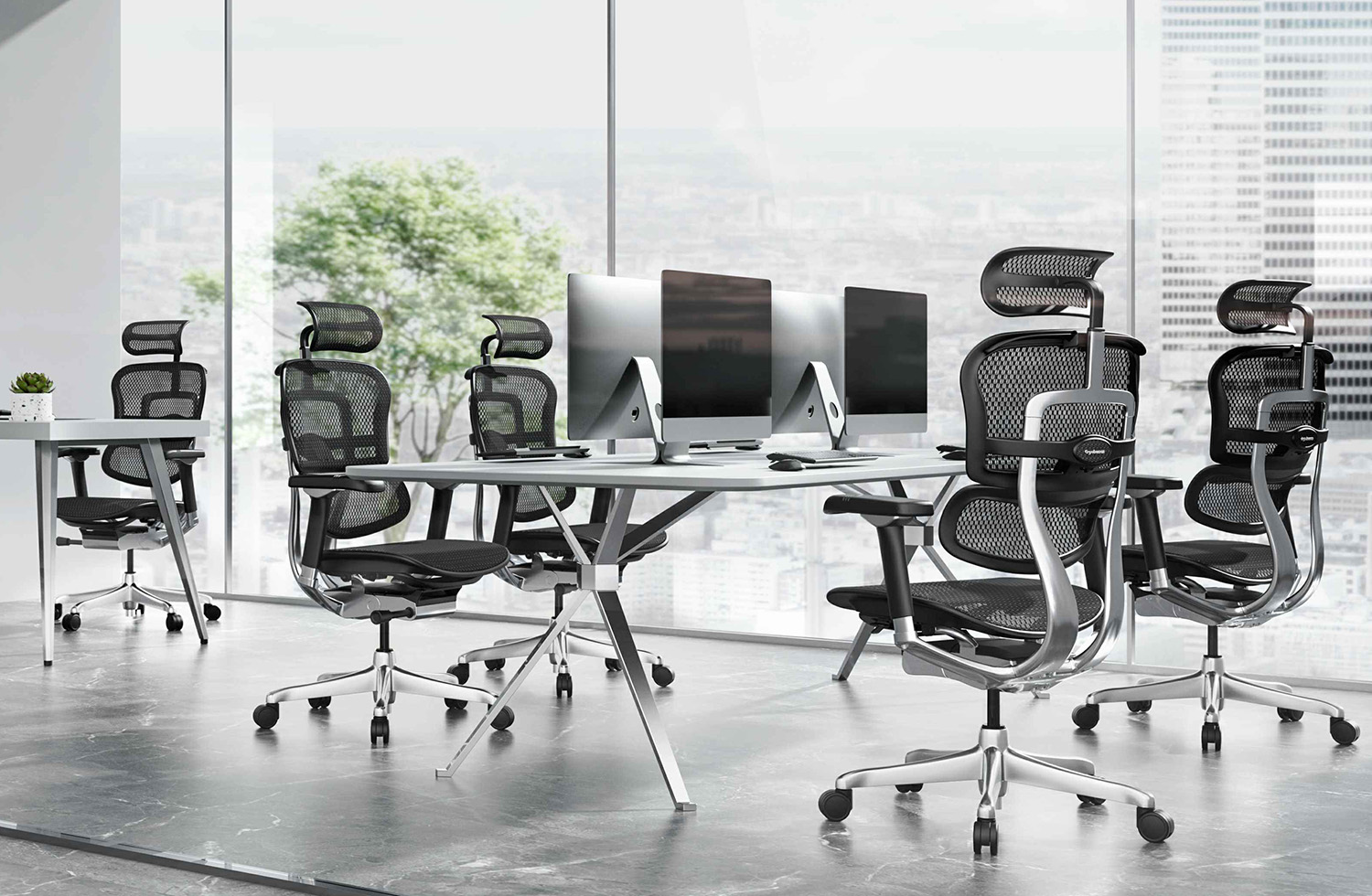
Finding the best office chair for back pain NZ workers can rely on is not simply about choosing the chair with the thickest cushion or the largest backrest. Long hours of desk work place ongoing demands on the lower back, upper back, shoulders and hips, making proper adjustment and support especially important. At Ergohuman New Zealand, ergonomic seating is designed around adjustable support so the chair can be configured to the individual rather than forcing every user into the same sitting position. For New Zealand professionals working from home or in an office, understanding lumbar support, seat depth, recline and posture can make choosing a chair considerably easier.
Back discomfort can have many causes, and an office chair should never be considered a medical treatment for persistent back pain or sciatica. However, an appropriately adjusted ergonomic chair can provide better support while sitting and make it easier to maintain a comfortable working position throughout the day.
This guide explains what to look for when choosing an office chair for lower-back comfort, how lumbar and thoracic support differ, and how features such as seat-depth adjustment and synchro-tilt can help create a more personalised workstation.
Why Your Office Chair Matters for Lower Back Comfort
Sitting itself is not necessarily the problem. The greater issue is often spending long periods in the same unsupported or poorly adjusted position.
When an office chair does not provide suitable support, users may gradually slide forward, round their lower back or lean towards the computer screen. Maintaining these positions for hours can increase fatigue and place additional demand on the muscles supporting the torso.
The lumbar region is the lower section of the back. Its natural curve means a flat chair back may not provide sufficient contact where some users need it most. An ergonomic chair with adjustable lumbar support can fill this space more effectively and allow the user to determine how much support feels appropriate.
The upper or thoracic section of the back also matters. Supporting only the lower back while leaving the rest of the chair poorly adjusted does not create a complete ergonomic setup.
Good seating should work as an integrated system.
What Does Office Chair Lumbar Support Actually Do?
People searching for office chair lumbar support NZ are usually trying to understand whether lumbar support genuinely matters or whether it is simply another marketing feature.
A properly positioned lumbar section supports the natural inward curve of the lower back while you sit. Its purpose is not to push aggressively into the spine but to provide enough contact that the user does not need to rely entirely on muscular effort to maintain a comfortable seated position.
The right amount of support differs between individuals.
Someone with a pronounced lumbar curve may prefer a different level of pressure from a person with a flatter back profile. Height also matters because lumbar support positioned too high or too low may fail to contact the intended area.
This is why adjustability can be more useful than simply adding a large fixed cushion to the back of an office chair.
An ergonomic chair should allow the support to be adapted around the user rather than requiring the user to adapt to the chair.
Static Lumbar Padding vs Flexible Lumbar Support
One of the most important differences between basic office chairs and more sophisticated ergonomic seating is how the lumbar area responds when the user moves.
Static lumbar padding generally remains in one fixed position. It may feel comfortable when you initially sit down, but the support does not necessarily adapt as you move, recline or change posture.
A flexible lumbar system works differently.
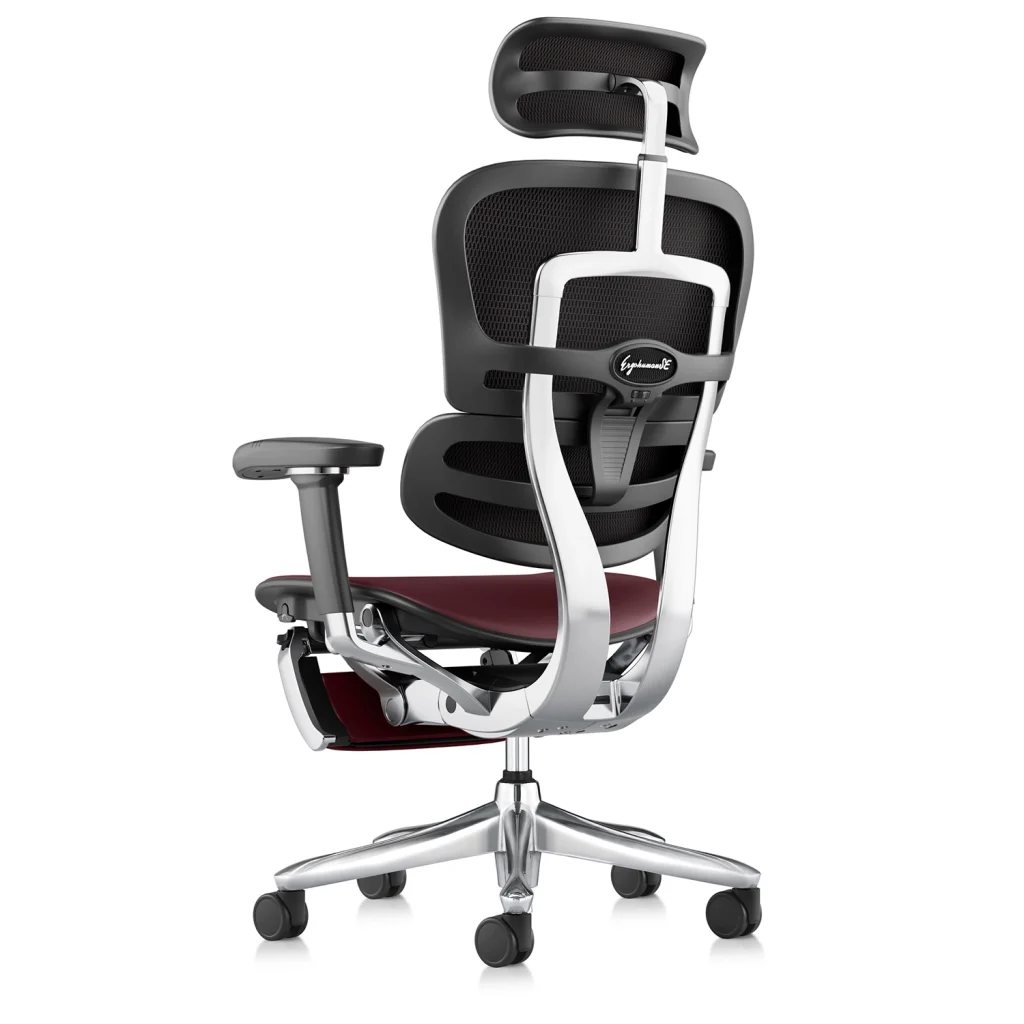
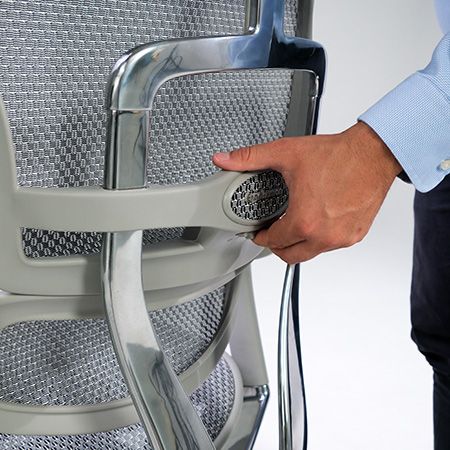
Ergohuman separates the lower lumbar area from the upper backrest, allowing the two sections to respond more independently. The lower lumbar section is designed to maintain supportive contact as the user changes position, while its firmness can also be adjusted.
This distinction is particularly valuable during a long working day.
Most people do not sit perfectly still for eight hours. They move forwards to concentrate, sit upright while typing, lean back during a meeting and recline when reading or thinking.
A more responsive support system can accommodate these changes more naturally than a single piece of fixed padding.
For anyone looking for a posture chair NZ home-office or corporate workers can adjust around their own body, this type of flexibility is worth considering.
Lumbar and Thoracic Support: Why Both Matter
The spine is not a straight vertical column, which is one reason office-chair backrests need to do more than simply provide a flat surface.
The lumbar region refers to the lower back, while the thoracic region covers much of the middle and upper back.
Supporting both areas helps distribute contact across the backrest rather than concentrating all support in one location.
Ergohuman’s approach separates the lower lumbar support from the upper backrest. This allows the lumbar section to target the lower-back area while the larger backrest supports the rest of the torso.
For someone comparing the best office chair for back pain NZ, this distinction can be more meaningful than simply asking whether a chair has “lumbar support”.
The better question is how adjustable that support is, where it makes contact and whether the rest of the backrest can also be configured around the user.
How Seat Depth Can Affect Lower Back Comfort
Lumbar support receives a great deal of attention, but seat depth is another important part of an ergonomic chair setup.
Seat depth refers to the distance between the front edge of the seat and the backrest.
If the seat is excessively deep for the user, they may struggle to sit fully against the backrest without the front of the seat pressing too closely behind the knees. This can encourage someone to slide forwards, reducing contact with the lumbar support.
If the seat is too shallow, the thighs may receive less support than desired.
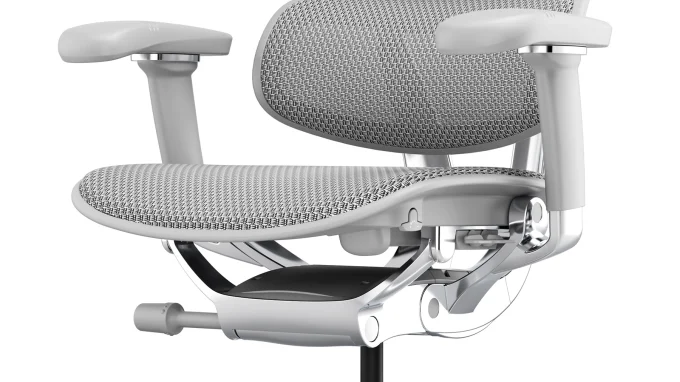
A seat-slide adjustment allows the user to change the effective depth of the seat according to their leg length.
This is especially useful in workplaces where different people may use the same chair or when purchasing online and wanting greater flexibility in the fit.
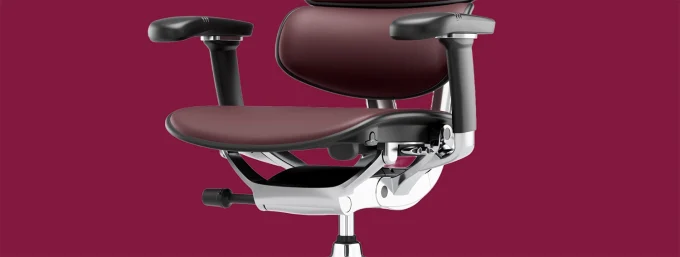
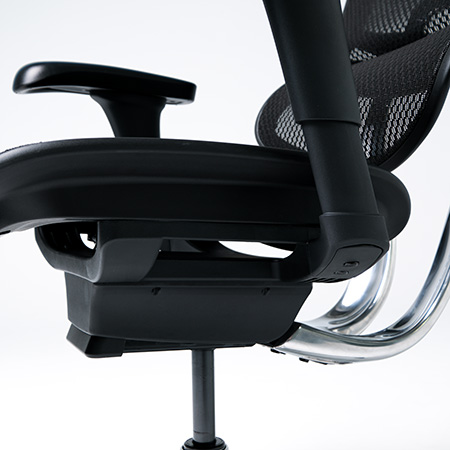
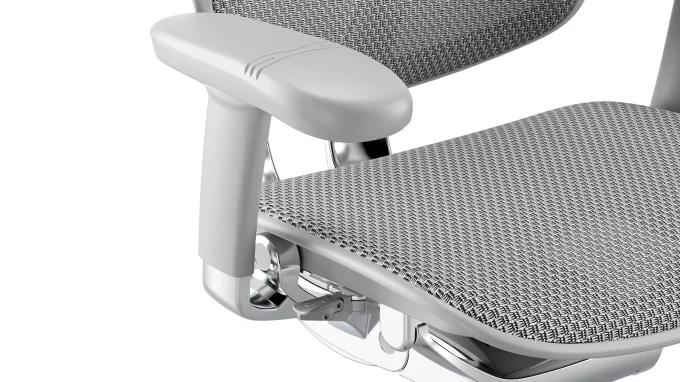
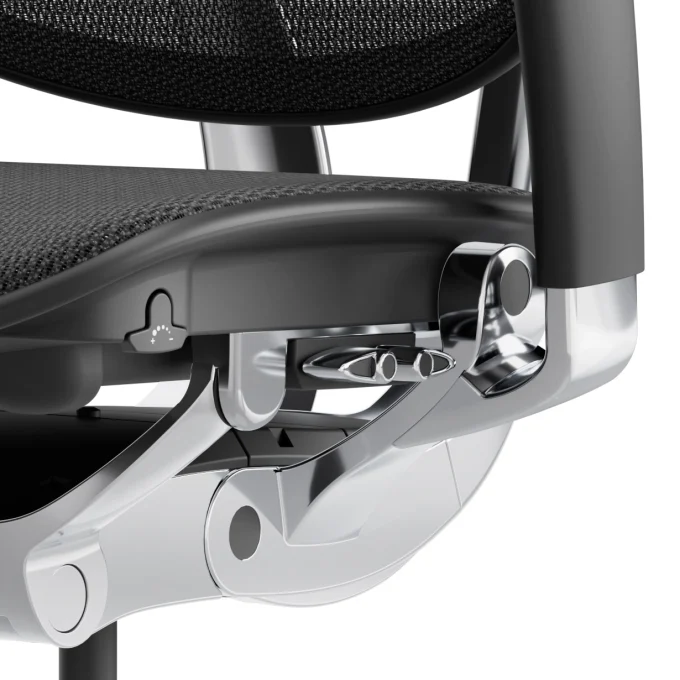
The Ergohuman 2 Luxury SE includes seat-slide adjustment alongside backrest-height and lumbar-pressure adjustments, allowing several aspects of the sitting position to be personalised together.
How Tilt and Recline Support Better Sitting
There is no requirement to remain completely upright throughout an entire working day.
In fact, changing position can be one of the most useful habits during extended desk work.
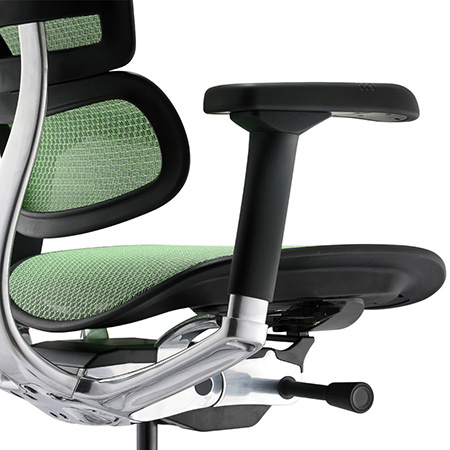
A synchro-tilt mechanism allows the backrest and seat to move in a coordinated way when the user reclines. This creates a different working position while helping maintain support as the chair moves.
Ergohuman chairs also provide multiple reclining positions and free-float functionality, allowing users to move rather than remaining locked into one posture throughout the day.
For a person looking for a lower back pain office chair, this adjustability can be valuable because comfort often depends on being able to vary position rather than searching for one supposedly “perfect” posture and maintaining it continuously.
Reclining slightly may feel comfortable during reading or meetings, while a more upright position may be preferable during active keyboard work.
The chair should support both.
How to Adjust an Office Chair for Lower Back Support
The first step is to establish the correct seat height.
Your feet should have stable support from the floor or an appropriate footrest, rather than hanging freely. The seat should allow you to work comfortably at your desk without lifting your shoulders to reach the keyboard.
Next, adjust the seat depth.
Sit fully back into the chair so your lower back can make contact with the lumbar section. Adjust the seat pan until your thighs feel adequately supported without excessive pressure behind the knees.
The backrest can then be positioned so the lumbar section aligns comfortably with the natural curve of your lower back.
Lumbar firmness should feel supportive without becoming intrusive. More pressure is not automatically better.
Finally, adjust the armrests and recline so your shoulders can remain relaxed during normal work.
Taking several minutes to configure each component can make a far greater difference than using an advanced ergonomic chair with every adjustment left in an unsuitable position.
Can an Ergonomic Chair Help With Sciatica?
Sciatica is a medical symptom involving irritation or compression affecting the sciatic nerve, and anyone experiencing persistent, severe or worsening symptoms should seek appropriate professional medical advice.
An office chair is not a treatment for sciatica.
However, people experiencing lower-back or leg discomfort may find that an adjustable workplace setup allows them to avoid sitting in positions that aggravate their symptoms.
Seat depth can be especially important because an excessively deep seat can encourage sliding forwards or place unwanted pressure around the backs of the thighs.
Likewise, adjustable recline gives users an opportunity to vary their position during the day rather than remaining static for prolonged periods.
If you are choosing the best office chair for back pain NZ because you already have a diagnosed spinal or nerve condition, it can also be worthwhile discussing your workplace setup with an appropriate health professional who understands your individual circumstances.
Ergohuman 2 Luxury SE for Posture and Back Support
Its lower lumbar support can be adjusted for pressure, while the backrest height can be changed to better align the back support with the individual. Seat-slide adjustment allows the seat depth to be personalised, and the synchro-tilt mechanism allows movement between more upright and reclined positions.
The Luxury SE also offers forward tilt and several recline settings, giving users more control over how they position themselves during different types of work.
These adjustments are important because no single lumbar shape, seat depth or backrest position will suit every person.
A premium ergonomic chair should provide enough flexibility to create an individual fit.
A Posture Chair Should Support Movement, Not Force One Position
The term posture chair NZ can sometimes create the impression that there is one perfect position everyone should maintain throughout the day.
Human bodies do not work that way.
Your preferred position when typing intensely may be different from the position you use during a video meeting. You may sit more upright when responding to emails, recline while reading and move forwards temporarily while concentrating on detailed work.
A good ergonomic chair accommodates these changes.
Posture support should therefore be thought of as giving the body a stable and adjustable platform rather than forcing the spine into one rigid position.
Movement away from the chair also remains important. Regularly standing, walking and changing activity can complement a better chair setup during long working days.
Choosing the Best Office Chair for Back Pain NZ
When comparing chairs, avoid making your decision based solely on how thick the lumbar cushion appears.
Look at whether the lumbar section can be adjusted, whether the backrest height suits different users, whether the seat depth can change and whether the chair allows controlled movement between working positions.
These adjustments determine how effectively the chair can be personalised.
Material and overall build quality also matter, particularly if the chair will be used for many hours every week. But even the most expensive chair needs to fit the person using it.
This is why the best office chair for back pain NZ is not necessarily one fixed model for everyone. It is a chair that provides enough ergonomic adjustment to support your body, desk setup and working habits.
Best Office Chair for Back Pain NZ: Final Thoughts for 2026
Choosing an ergonomic chair for a New Zealand home or workplace should begin with support and adjustability rather than appearance alone.
Effective lumbar support should make comfortable contact with the lower back without forcing excessive pressure into one area. Upper-back support, seat depth, chair height and recline should then work together to create a balanced seating position.
Flexible lumbar support can offer an advantage over simple static padding because it can respond as the user changes position throughout the working day. Seat-slide and tilt adjustments further allow the chair to accommodate different body proportions and tasks.
For people researching the best office chair for back pain NZ, the goal should not be finding a chair that promises to cure pain. Instead, look for a properly adjustable ergonomic chair that helps you create a comfortable, supportive and flexible workstation.
The Ergohuman 2 range is designed around this approach, and buyers wanting a premium configuration can explore the Ergohuman 2 Luxury SE to compare its lumbar, seat-depth, backrest and recline adjustments.
Combined with appropriate desk positioning, regular movement and an individual setup, the right ergonomic chair can become an important part of a more comfortable New Zealand workspace.




 ErgoHuman Staff8 August 20268 Mins read
 ErgoHuman Staff8 August 20268 Mins read