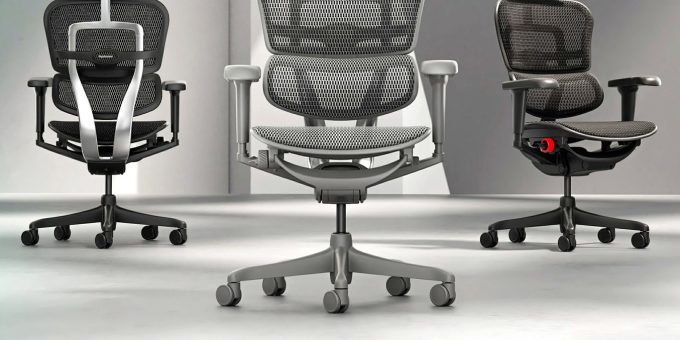
Choosing an ergonomic chair takes more than liking the look of it. What matters is how much control you have over your seating position once you are in it. The Ergohuman 2 Ultra ergonomic office chair is an adjustable chair for people who want that control through the working day, and it is the main subject of this guide.
So is the Ergohuman 2 Ultra office chair NZ buyers are researching worth a look? It combines W-Mesh, adjustable lumbar pressure, seat-depth adjustment, a synchro-tilt mechanism and 4D armrests in one chair. Below, we cover its construction, its adjustments, who it may suit and what to check before you buy.
What Is the Ergohuman 2 Ultra Office Chair?
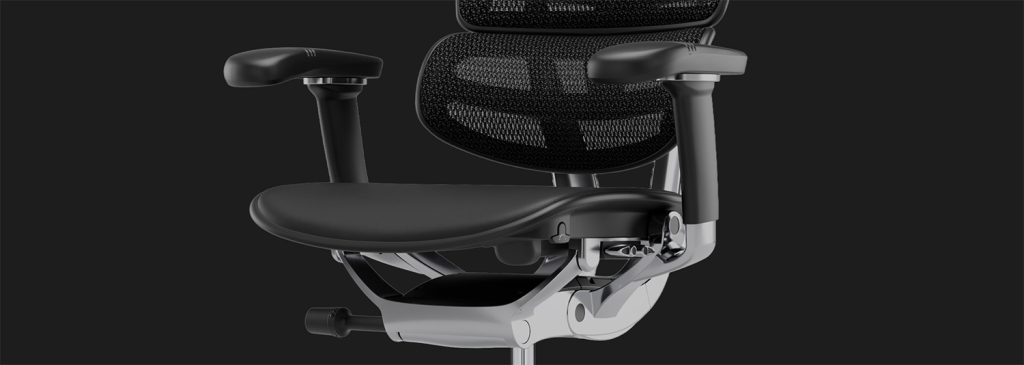
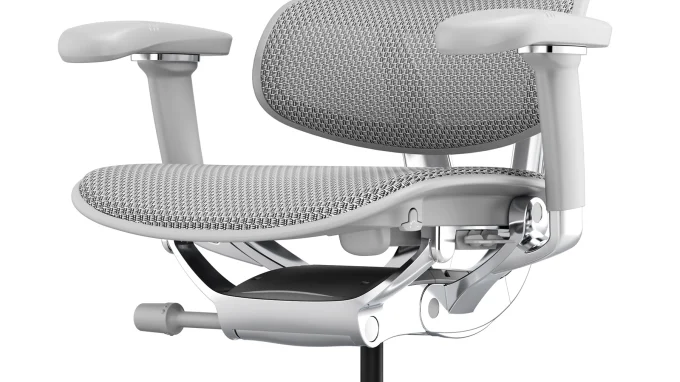
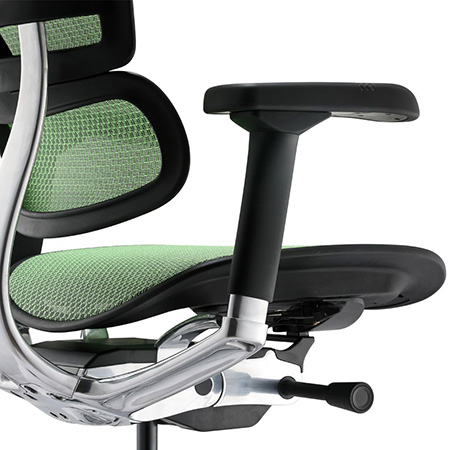
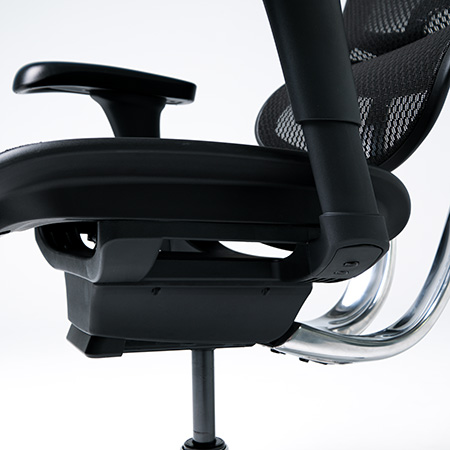
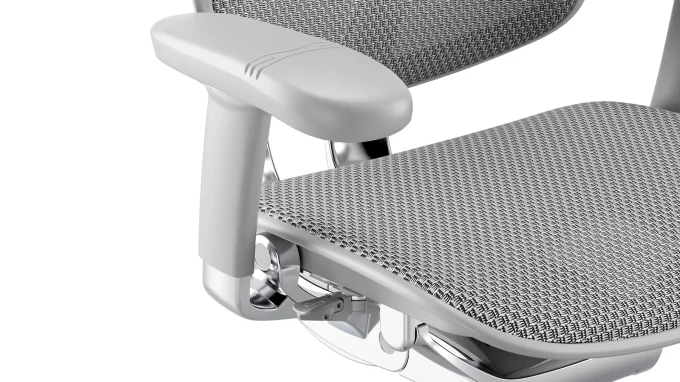
The Ultra is part of the Ergohuman 2 family and shares its core ergonomic functions with the Elite. Where it differs is construction. It pairs a reinforced polymeric composite chassis with a cast aluminium backrest frame.
The aim is a balance of rigidity and reduced weight. The aluminium backrest gives a solid, low-flex feel, while the composite chassis that houses the mechanism keeps the chair lighter and easier to move around. It is designed for people who sit at a desk for long periods and want an adjustable chair that can be fitted to them.
Ergohuman 2 Ultra Office Chair NZ: Design, Frame and Materials
Reinforced Composite Chassis and Aluminium Backrest
Strength, stability and everyday usability pull in different directions, and this frame is a compromise between them. The cast aluminium backrest provides a rigid support structure. The composite chassis keeps overall weight down. A cast aluminium five-star wheelbase completes the frame.
W-Mesh Backrest and Seat Options
W-Mesh is the breathable material used on the backrest, and it lets air move across your back. Ergohuman says it is engineered to last ten years of eight-hour days. That is a design statement, not a warranty period. The Ultra is available in all mesh or as a combination of mesh back and fabric seat, with mesh in two colours and fabric in two colours. There is also a black edition with a black aluminium frame.
A mesh seat suits people who want airflow throughout. A fabric seat feels softer while the mesh back keeps its ventilation. Neither is universally better. It comes down to preference.
Waterfall Seat Design
The front edge of the seat curves downward in a waterfall shape, so the seat edge does not press sharply into the underside of your thighs. The product page lists a waterfall seat front and back. This is a comfort feature, and it is not a medical solution.
Understanding the Ergohuman 2 Ultra’s Ergonomic Features
Each adjustment does a specific job. Our overview of Ergohuman ergonomic chair features covers the wider range, and the sections below explain how they work on the Ultra.
Adjustable Seat Height
Seat height lets you position yourself relative to your desk. Most people want their feet supported on the floor and their forearms at a comfortable desk height, and this adjustment helps you find that balance.
Adjustable Seat Depth
The seat slide moves the seat forward or backward to suit different leg lengths. The goal is comfortable thigh support while leaving some clearance behind the knees. This is why an office chair with adjustable seat depth is useful when a chair has to suit more than one person.
Adjustable Lumbar Pressure
A lumbar dial increases or decreases the resistance of the support, so it feels as firm or as light as you prefer. Pressure is only half of it. The support also needs to sit in the right place, which is where backrest height comes in.
Adjustable Backrest Height
The backrest can be set at six height positions. Moving it up or down lets you line the lumbar area up with your own lower back, which matters if you are shorter or taller than average.
4D Adjustable Armrests
The armrests adjust for height, width, depth and angle. In daily use, that means you can bring them close to a narrow desk, widen them for a larger frame or tilt them slightly when typing. The Ergohuman 2 Ultra with adjustable ergonomic features gives you most of these controls in a single chair.
Independently Adjustable Headrest
The headrest can be adjusted for height and angle independently of the backrest height. Some people like head support when reclining, and others never use one. Check that the version you choose includes a headrest.
Understanding the Ergohuman 2 Ultra Synchro-Tilt and Recline Mechanism
What Is Synchro-Tilt?
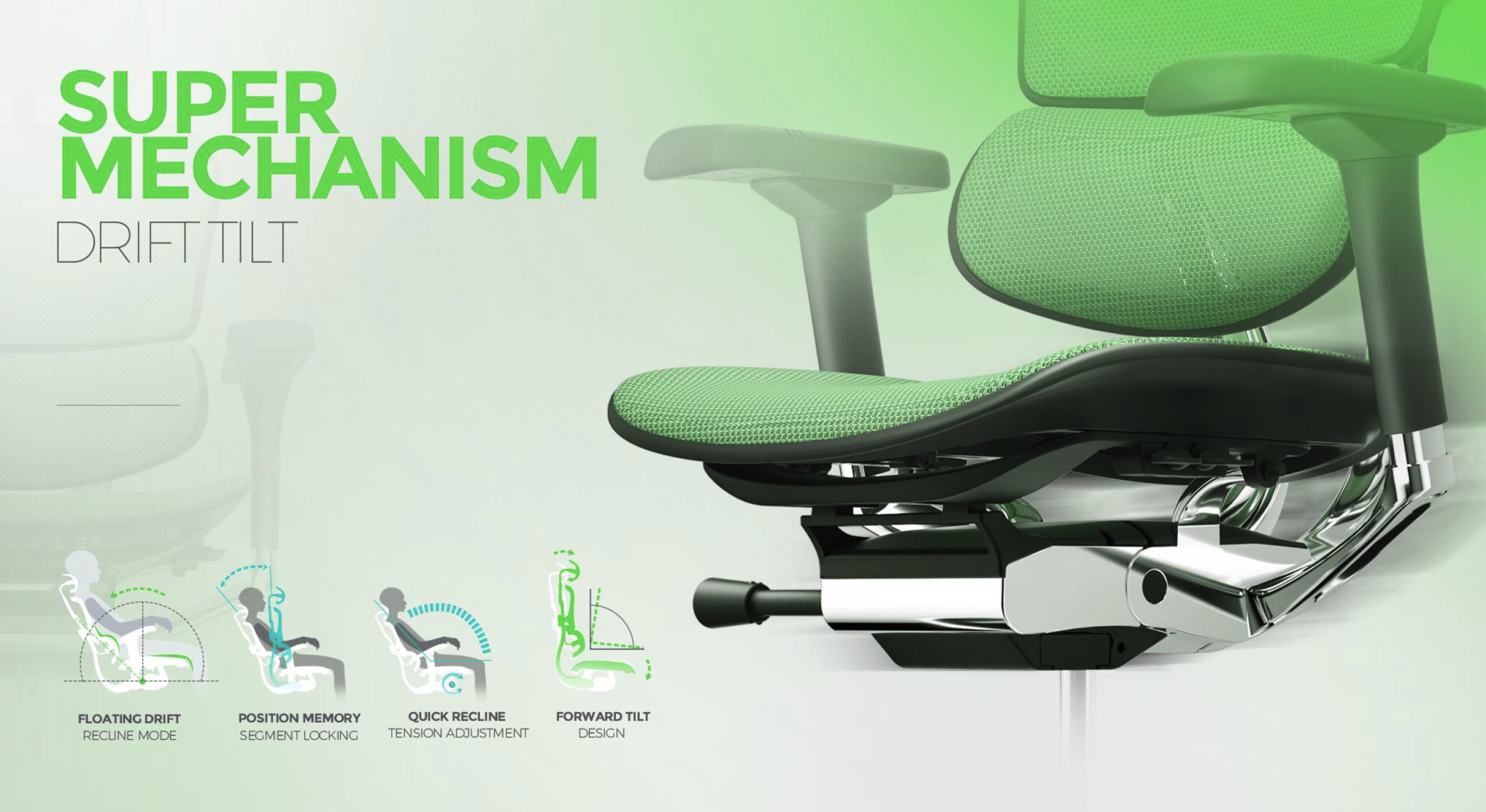
In a synchro-tilt office chair, the seat and backrest move together in a coordinated way as you recline. The practical result is that the chair follows your movement rather than forcing you to adapt to it.
Free-Float Recline and Tension Adjustment
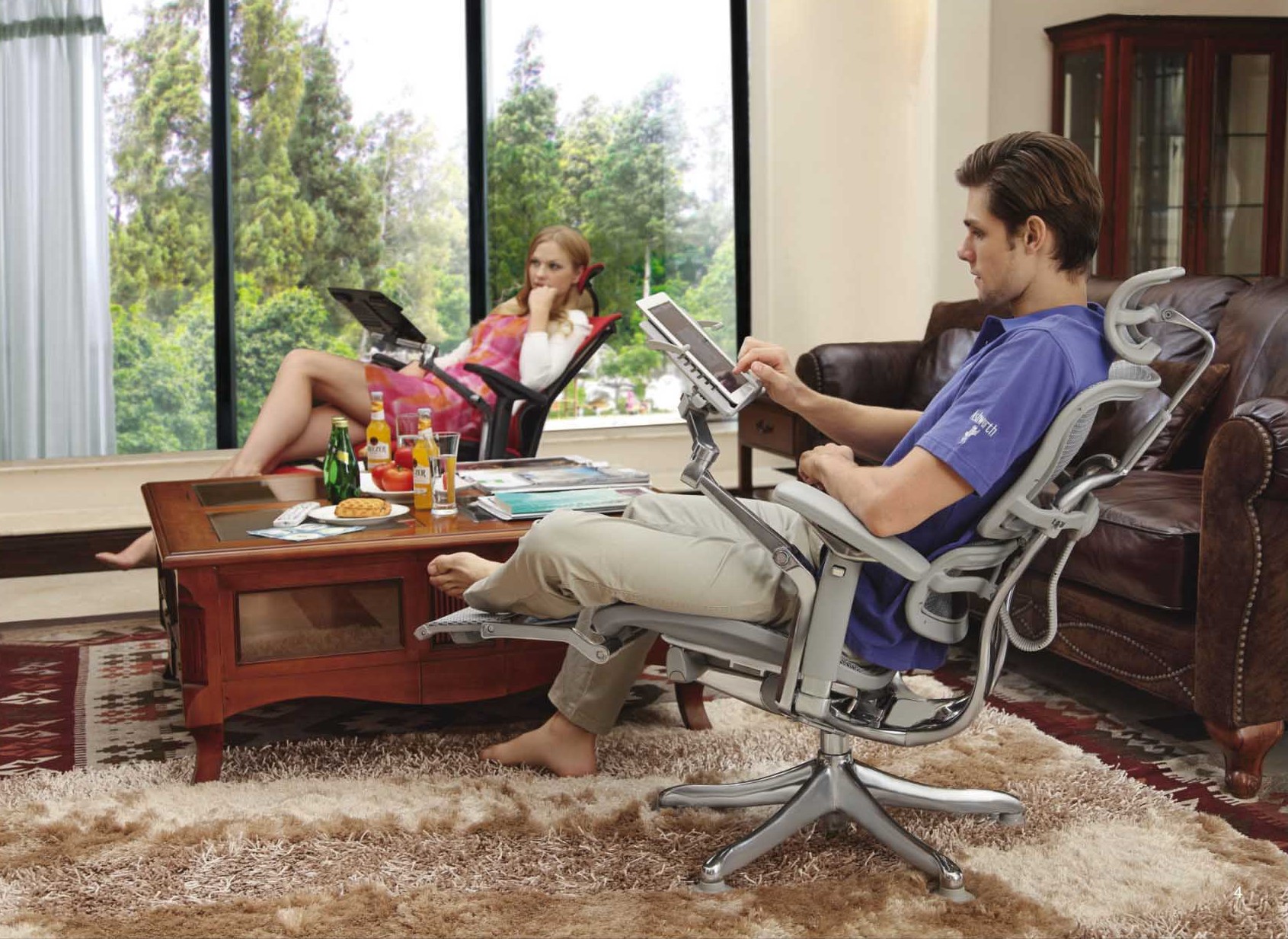
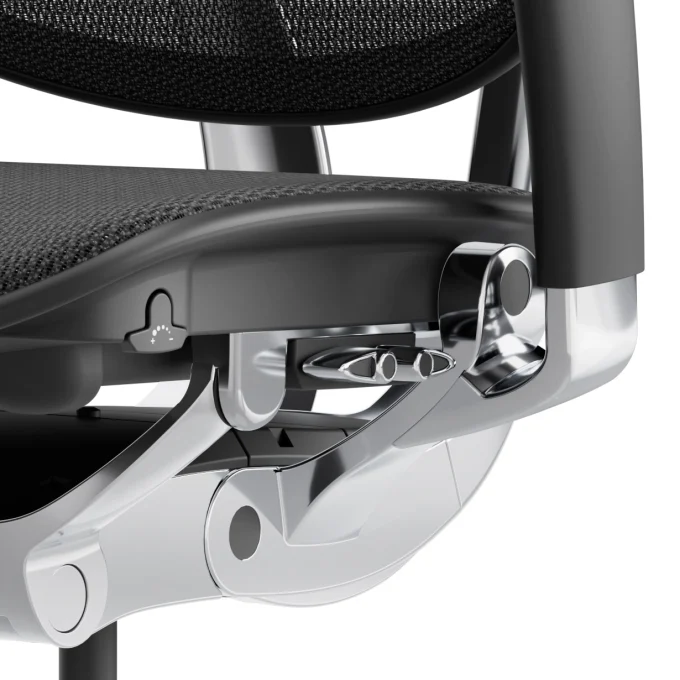
The Ultra offers a free-float recline of up to 48 degrees, with adjustable recline tension. Tension controls how much resistance you feel as you lean back. Because body weight and reclining habits differ, there is no universal setting, so adjust it until it feels right for you.
Four Lockable Recline Positions
You can lock the recline into four positions. This is useful if you shift between upright focus work and a more relaxed posture, since you can hold the angle you want instead of floating.
Forward Tilt Function
Forward tilt lets you lean forward by six degrees from upright. Some people like this for detailed screen or paperwork tasks, because the seat and back stay with them. It is an option, and not every user needs it.
How to Adjust the Ergohuman 2 Ultra for Your Body
Make changes gradually and test each one before moving to the next. A sensible order is:
Set the seat height so your feet are supported.
Slide the seat for comfortable thigh support.
Position the lumbar support, then set its pressure.
The Ultra may appeal to people who sit for long stretches, whether in a home office or a corporate workplace, and want an office chair for long hours NZ conditions demand. It also suits those who want adjustable lumbar support, value seat-depth adjustment, prefer breathable mesh or want several recline settings. The lighter composite chassis may appeal if you move your chair often.
Its strengths are the breadth of adjustment, including lumbar pressure, seat slide, 4D armrests and multiple recline options, along with W-Mesh, the cast aluminium backrest frame and the reinforced composite chassis. The product page states that the chair is certified to a bodyweight of 120kg.
Before buying, check the overall chair and seat dimensions, the mesh or fabric option you prefer, the adjustment features you will use, your workspace and the current price. The right chair is a personal decision, so review the specifications rather than relying on a feature list alone.
Ergohuman 2 Ultra Warranty, Assembly and After-Sales Support
Warranty terms, assembly and support matter as much as features. The Ergohuman warranty terms and coverage page currently lists a ten-year warranty for the Ultra, and notes that Ultra chairs sold before 2026 were covered for five years. Read the terms that apply to your purchase date, and do not confuse the ten-year design-life statement with the warranty period.
Final Verdict — Is the Ergohuman 2 Ultra Right for You?
The Ultra’s appeal is its adjustability: seat depth, lumbar pressure, six backrest heights, 4D armrests and a flexible recline, in a mesh chair built on a lighter composite chassis. It suits people who want to fine-tune their seating, though your body proportions, workstation, preferences and budget should drive the decision.
If you want to compare the available versions and specifications, view the Ergohuman 2 Ultra and check the details against your needs.
Have Questions About the Ergohuman 2 Ultra?
If you need help with specifications, adjustments, product options or choosing a suitable chair, we are happy to help. Feel free to contact the Ergohuman New Zealand team before you decide.




 ErgoHuman Staff23 October 20265 Mins read
 ErgoHuman Staff23 October 20265 Mins read