No products in the cart.




Ergonomic Chairs
 ErgoHuman Staff15 July 20265 Mins read
The Best Desk Chairs for NZ Architects, Developers, and Digital Creatives
 ErgoHuman Staff15 July 20265 Mins read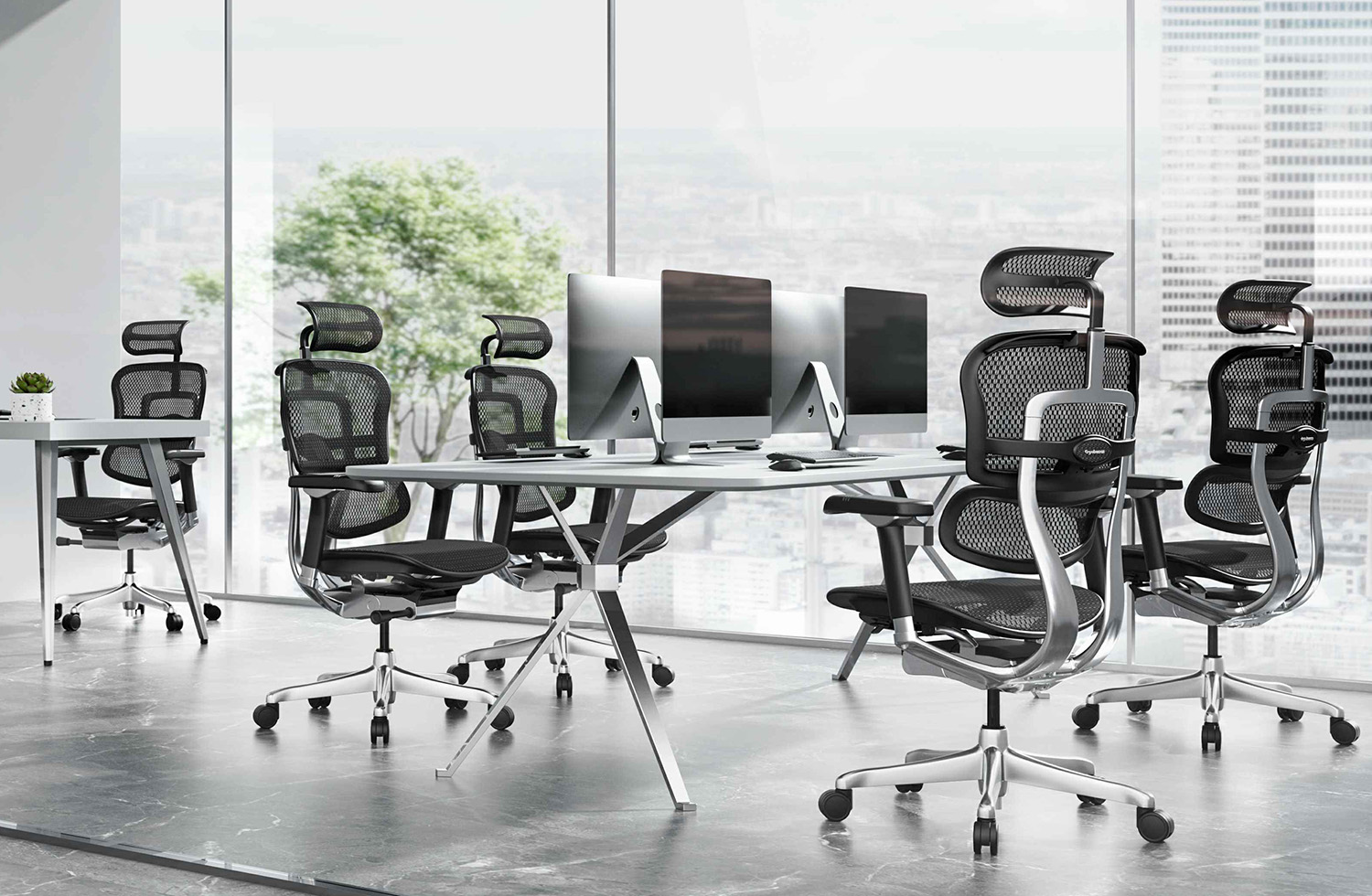
Share
Architects, developers, and digital creatives share a common reality: long, uninterrupted hours at a desk, often deep in focused, detail-oriented work. Unlike roles with frequent movement or changing tasks throughout the day, creative and technical professionals frequently sit still for hours at a stretch, whether sketching drafts, reviewing code, or refining a design in a digital canvas. This makes chair selection far more than a comfort preference — it directly affects focus, posture, and long-term physical health.
This guide covers what makes a desk chair genuinely suited to architects, developers, and digital creatives across New Zealand, and which features matter most for these specific working styles.
Why Creative and Technical Professionals Have Unique Seating Needs
Unlike many office roles, architects, developers, and digital creatives often experience:
- Extended periods of stillness, sometimes for hours during deep focus or “flow state” work
- Frequent forward-leaning posture, particularly when reviewing detailed drawings, code, or design work on a monitor
- Long-term desk setups, often working from the same chair for years rather than rotating through shared office furniture
- Varied working positions, shifting between upright focus, reclined thinking breaks, and side-angled collaboration with colleagues or clients
A chair that fails to accommodate these patterns often results in stiffness, lower back discomfort, and reduced focus over the course of a project deadline or coding sprint. Choosing the right seating isn’t just about immediate comfort — it directly supports the sustained concentration these roles demand.
Key Features to Prioritise for Architects
Architects frequently work across large monitors, drafting tables, and physical model-making stations, often shifting between digital and physical tasks throughout the day. When selecting a chair, prioritise:
Seat Height Range Suited to Drafting Setups
Architects often work at slightly elevated desks or drafting tables. A chair with a higher maximum seat height ensures proper alignment even with taller work surfaces.
Strong Lumbar Support for Forward-Leaning Posture
Detailed design review often involves leaning toward a screen or drafting surface. Adjustable lumbar support helps counteract the strain this posture places on the lower back.
Swivel and Mobility
Frequent movement between a desk, printer, model-making station, or meeting table calls for smooth-rolling castors and an easy swivel base.
Durable, Long-Lasting Build
Architecture firms often keep the same chair in use for years across demanding daily schedules, making reinforced frames and quality components a smart long-term investment.
Key Features to Prioritise for Developers
Developers typically spend extensive hours in a single seated position, often with minimal physical movement during deep debugging or coding sessions. For this working style, prioritise:
Exceptional Lumbar and Back Support
Since movement is often minimal for hours at a time, consistent lower back support is critical to avoiding stiffness and long-term postural issues.
Breathable Mesh Backing
Long, static sitting sessions benefit significantly from breathable materials that prevent overheating during extended focus periods.
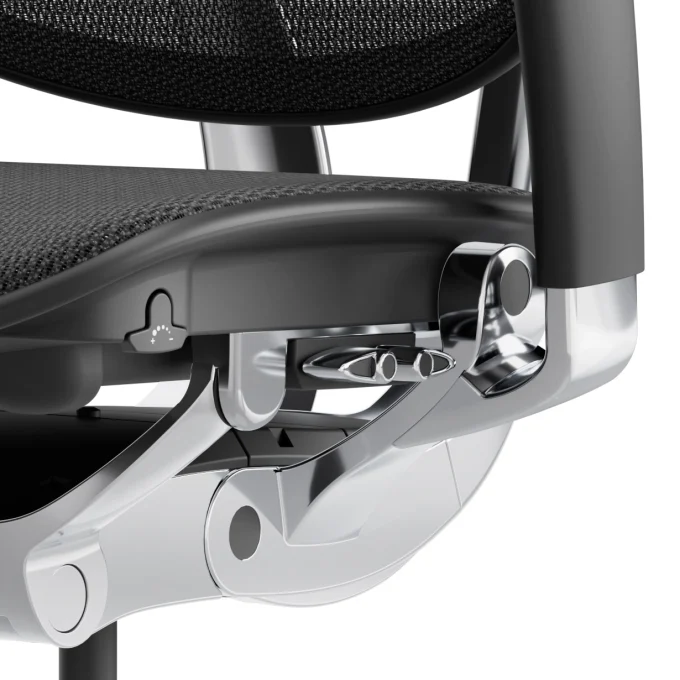
Synchronized Tilt for Micro-Movement
Even during focused work, a synchronized tilt mechanism allows small shifts in posture without breaking concentration, helping reduce the strain of prolonged stillness.
Adjustable Armrests Matched to Keyboard Height
Since developers spend the bulk of their day typing, armrests that align properly with keyboard height help prevent wrist and shoulder strain.
Headrest for Recline Breaks
Short recline breaks between coding sessions benefit from a headrest that supports the neck, helping reduce tension built up during long focus blocks.
Key Features to Prioritise for Digital Creatives
Designers, video editors, and other digital creatives often work across multiple monitors, creative software, and client review sessions throughout the day. Useful features include:
Multi-Directional Armrests
Frequent switching between keyboard, tablet, and mouse work benefits from armrests that adjust not just in height but also in width and pivot angle.
Comfortable, Long-Session Cushioning
Creative work often extends well beyond standard hours during project deadlines, making high-density foam cushioning important for sustained comfort.
Reclining Function for Review and Thinking Time
Digital creatives often step back mentally to review work in progress. A chair with a comfortable recline range supports this natural shift in working posture.
Aesthetic Considerations for Studio Environments
Many creative studios prioritise workspace design alongside function, making chairs available in a range of finishes and colours a practical consideration alongside ergonomics.
Common Threads Across All Three Professions
Despite differing daily workflows, architects, developers, and digital creatives share several core seating requirements:
- Reliable lumbar support to counter hours of seated, often forward-leaning posture
- High-quality, durable construction built for years of consistent daily use
- Breathable materials suited to long, focused working sessions
- Smooth mobility for shifting between different tasks and work surfaces
- Genuine adjustability, rather than a one-size-fits-all approach to seating
A chair that checks these boxes supports not just physical comfort, but the sustained mental focus these roles depend on for high-quality output.
Why Ergonomic Chairs Matter More for Deep Focus Work
Unlike roles involving regular movement throughout the day, deep focus professions like architecture, software development, and digital design often involve minimal natural movement for hours at a time. This makes proper ergonomic support more important, not less, since the body doesn’t get the natural postural reset that comes from regularly changing position or location throughout a workday.
Without adequate support, this combination of stillness and forward-leaning focus frequently leads to:
- Lower back stiffness that builds progressively through the day
- Shoulder and neck tension from prolonged screen-focused posture
- Reduced concentration as physical discomfort becomes a distraction
- Long-term postural issues from years of repeated, unsupported sitting patterns
Choosing a chair genuinely designed for extended, focus-heavy work sessions helps offset these risks, supporting both physical comfort and sustained creative or technical output.
Setting Up Your Chair for Focus-Heavy Work
Regardless of profession, a few adjustment steps help maximise the benefit of an ergonomic chair for deep focus work:
- Set seat height so feet rest flat on the floor with knees at a comfortable right angle
- Adjust lumbar support to sit firmly against the natural curve of your lower back
- Position armrests so shoulders stay relaxed rather than raised or hunched
- Fine-tune tilt tension to allow small, natural movements without needing to consciously readjust
- Use the headrest during short breaks to release tension built up during focused sessions
Taking the time to properly configure these settings ensures the chair actively supports long working sessions, rather than simply providing a place to sit.
Choosing Between Models for Different Working Styles
While architects, developers, and digital creatives share overlapping needs, the ideal chair often varies slightly by role:
- Architects benefit most from chairs with a higher seat height range and strong mobility for moving between desks and drafting or model-making stations
- Developers benefit most from chairs prioritising static lumbar support and breathable materials for long, still focus sessions
- Digital creatives benefit most from chairs offering flexible armrest positioning and comfortable recline for review and thinking breaks
Identifying which working pattern most closely matches your daily routine helps narrow down the right chair rather than choosing based on general ergonomic claims alone.
Final Thoughts
For architects, developers, and digital creatives across New Zealand, the right desk chair is far more than a piece of office furniture it’s a tool that directly supports focus, comfort, and long-term physical health during demanding, detail-oriented work. Prioritizing genuine lumbar support, durable construction, and adjustability suited to your specific working style leads to a noticeably better daily experience at the desk.
Ready to find the right chair for your workflow? Get in touch with our team to explore ergonomic seating options built for the long, focused hours that architecture, development, and creative work demand.
Related Articles

Ergonomic ChairsErgoHuman Staff28 September 2026
Ergohuman Office Chair NZ: Which Ergohuman Chair Is Best for You?
Choosing an Ergohuman office chair NZ workers will be happy with for...
ErgoHuman Staff28 September 2026
Ergonomic ChairsErgonomic TopicsErgoHuman Staff3 September 2026
Posture Chair NZ: How to Choose an Office Chair for Better Posture
Most people searching for a posture chair NZ retailers' stock are really...
ErgoHuman Staff3 September 2026
Ergonomic ChairsErgonomic TopicsErgoHuman Staff2 September 2026
How to Choose an Ergonomic Office Chair for Working 8–10+ Hours a Day
If your workday regularly stretches past eight hours, your chair is not...
ErgoHuman Staff2 September 2026

Ergonomic ChairsErgonomic TopicsErgoHuman Staff1 September 2026
Ergonomic Office Chair Features Explained: Which Adjustments Actually Matter?
Most ergonomic office chairs list a long spec sheet of adjustments seat...
ErgoHuman Staff1 September 2026



